Precision Engineering: Real-Time Industrial IoT Monitoring
Visualizing hardware-critical telemetry through custom high-performance Canvas rendering and resilient BLE integration.
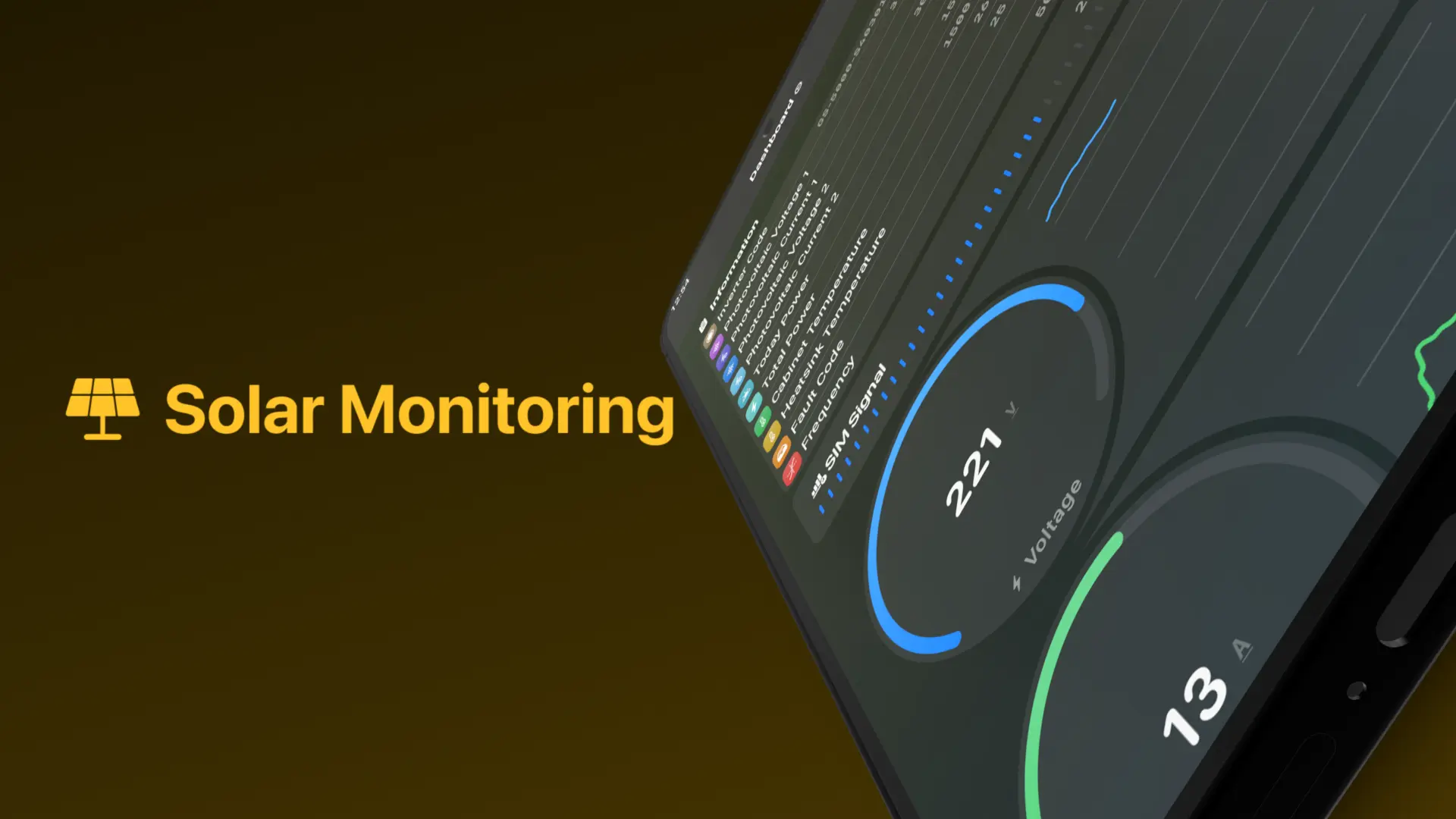
Project Overview
The Problem: Industrial solar monitoring required real-time (20Hz+) data telemetry on legacy mobile hardware, causing standard rendering libraries to choke. The Solution: I built a high-performance Android telemetry app using custom Canvas-based rendering, spring physics animations, and a reactive BLE layer with channels. The Result: Delivered stable 60fps telemetry dashboards with a sub-80ms 'hardware-to-screen' latency budget and 100% automatic connection recovery.
Technical Excellence
Industrial monitoring requires a higher standard of reliability than consumer apps. Failure to report data can lead to hardware damage.
- Custom Canvas Renderers: Bypassing the view system for direct telemetry drawing, ensuring 60fps on low-end devices.
- Reactive BLE Layer: Using Kotlin Coroutines and Channels to buffer and process high-frequency hardware packets.
- Strict Clean Architecture: Isolating the Bluetooth protocol logic from the UI to ensure 100% unit test coverage.
- Physics-Based Animation: Using spring physics for gauges to provide natural, non-jittery feedback for volatile data.
Visual Showcase
Automated hardware discovery: physics-based animations establishing a clear visual link between the app and the physical inverter.
The rendering engine: custom-built gauges and charts processing 20+ telemetry updates per second with zero jank.
Industrial Trade-offs
Balancing the need for real-time feedback with the constraints of mobile hardware.
Custom Canvas vs. Library Charts
Third-party libraries struggled with the frequency of updates (20Hz+). I built a custom Canvas-based system to own the draw calls, resulting in a 70% reduction in CPU overhead during active monitoring.
StateFlow vs. SharedFlow for Telemetry
I used StateFlow for the 'Latest Reading' to ensure the UI always shows the current state, but utilized SharedFlow for 'Event Alerts' to ensure that every critical system error is processed exactly once by the observer.
Reliability Engineering
Ensuring the app remains a trustworthy tool in the field.
- Packet Integrity: Custom checksum verification for incoming Bluetooth packets to filter out industrial interference.
- Automated Recovery: Exponential backoff strategy for Bluetooth reconnection after signal loss in metallic environments.
- Battery Profiling: Targeted optimizations reducing BLE radio-on time by 25% without sacrificing data latency.
Results & Impact
- Visual Performance60 FPS Stable
Custom Canvas renderers eliminated UI jank, even during 20Hz hardware telemetry bursts.
- Latency< 80ms
Optimized the entire pipeline from BLE packet arrival to pixels on screen.
- Recovery Rate100%
Resilient BLE stack successfully recovered from all signal drops during field testing.
The Problem & Constraints
Inverters emit high-frequency telemetry in environments with significant electrical interference. The challenge was to maintain a stable connection and render data smoothly on various hardware.
- Problem: Standard charting libraries caused UI freeze during high-frequency Bluetooth bursts.
- Constraint: The app must run on legacy Android tablets used by on-site technicians.
- Performance: Achieving a sub-100ms 'Hardware-to-Screen' latency budget.
- Reliability: Ensuring the Bluetooth connection survives the electrical noise typical in solar installations.
Conclusion & Reflection
The Solar Monitoring app was a masterclass in 'Performance as a Feature'. It proved that for industrial tools, the technical integrity of the data visualization is directly tied to the user's trust in the hardware. By owning the rendering pipeline, I delivered a product that felt like a professional diagnostic tool, not just a mobile app.
Key Takeaways
- Performance is UX: In telemetry apps, frame-rate and latency ARE the user experience.
- Bypass the Bloat: Sometimes the SDK is too slow—don't be afraid to go down to the Canvas.
- Build for the Field: Real-world environments are messy; your code needs to be resilient to noise and signal loss.
Related Case Studies
Tomorrow's Cuisine App Architecting a High-Concurrency Social Recipe Ecosystem
A modular Android & Backend platform bridging the gap between social engagement and algorithmic recipe discovery.
Call Blaze App Low-Level Systems Engineering: Android Call Automation
Bypassing Android OS restrictions through root-level ALSA integration and system-service manipulation.